This week I worked on getting the transitional effect set up properly. The original slide from right to left of crows came across too cheaply. I instead decided to use a hand-drawn sprite sheet placed into a flipbook material to try and get that to render onto the post processing effect on command instead.
I ran into several issues with it. The first was getting it to show up at all, which was solved by a multiply node with the Post Processing 0 node. The second was getting the flipbook to render at the right scale. This was solved by ensuring that the rows and columns were set properly. The third was ensuring that it could be played on command as opposed to just continuously playing. The solution that I currently have set up for that is a IF statement that checks to see if two numbers are equal to each other. Then, within the blueprint I manually change that variable to ensure they are equal to each other when I want it to play.
Currently the effect plays twice, I'm doing this so that we have approximately how long it will take for the effect to play without me hand-animating all 20 of the frames without testing. This is a test that I will expand upon as I finish hand-drawing the animations for this flipbook now that I know it works within the engine.
Here are the two parts to the Blueprint I created to trigger the level transition:
On begin play I get the post processing, create a variable with it, set it to unbound, create a material instance of the material inside of the post processing material, and set the scalar parameter within that material instance called "ifZerothenPlay" to -1.
For this second half, I am first checking to make sure that the object overlapping the trigger box is the hands of the player. Then in a sequence, it does the following: 1. Get the material instance parameter of "ifZerothenPlay" and changes that to 0 in order to begin the flipbook animation. Then there is a delay so that the animation can play, before it is once again set to 1 to turn it off. 2. Get the current player camera and start a fade on it to black, with a slight delay. Then the level designated will open.
I plan to finalize the last 7 frames of the animation so that it is complete for a first pass in the following weeks. As a reminder written here: I will be having surgery to remove my gallbladder shortly and will know tomorrow (Monday) when that will be happening. It'll likely be in a few days / a week. My next turn it may have less work as a result of this.
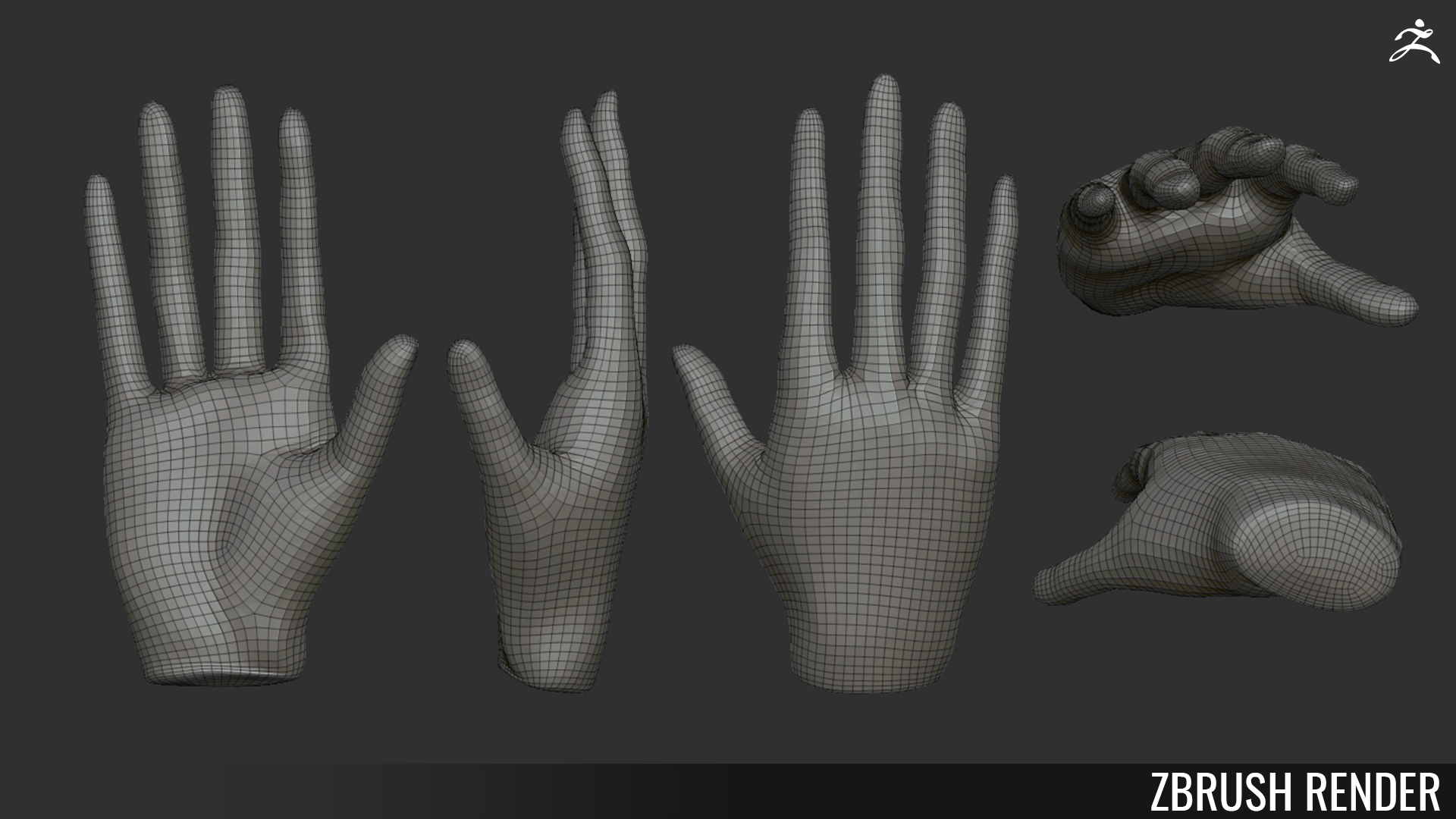
This week I mostly worked on the hands that are going to replace the default UE4 mannequin hands. I sculpted them in ZBrush to match the UE4 mannequin hands with only slight elongation of the fingers to showcase how spindly Victor's fingers are. I then decimated the hand in Zbrush using the Decimation Master tool, followed by the ZRemesher tool to make sure that the polygons moved in a natural way around the hands for skinning purposes. After Franco put the bones in the hand, I weight-painted the bones to properly skin them to the fingers.
I also worked on getting a proxy rendition of the "Crow Effect" that we want for our level transitions. I learned about how Post Processing Materials can effect cameras and how to set up a panning material that can be edited remotely in a blueprint. However, this effect is currently not working to my knowledge. I do not have a headset so this was very difficult to test, and I'm not sure that I was testing the right things. Here is what I did accomplish with that, however.
This is the texture that I made to test the material. The white part shows up as the actual game, whereas the black shows up as a masked black in the camera viewport. I tied this to the texture coordinates and was able to directly edit how much of the screen was covered by this effect in the post processing material.
Abi had already set up the trigger for the level to swap, so all I had to do was add this to the BP that already existed. I added a post processing component to the BP and then used the following blueprints to have the effect work on overlap with the player's hands.
Currently, I am not sure if the blueprint functions because the prior blueprint was set up to fade to black, and even with just that blueprint I couldn't see the fade. I may be looking at the wrong camera to test this.
Currently, I am keeping all of the legs separate while I work on posing them correctly before merging them with the body. I decided to make the bag legs a bit more bow-legged than in the original art to add complexity to the silhouette and make him appear more pirate-like!